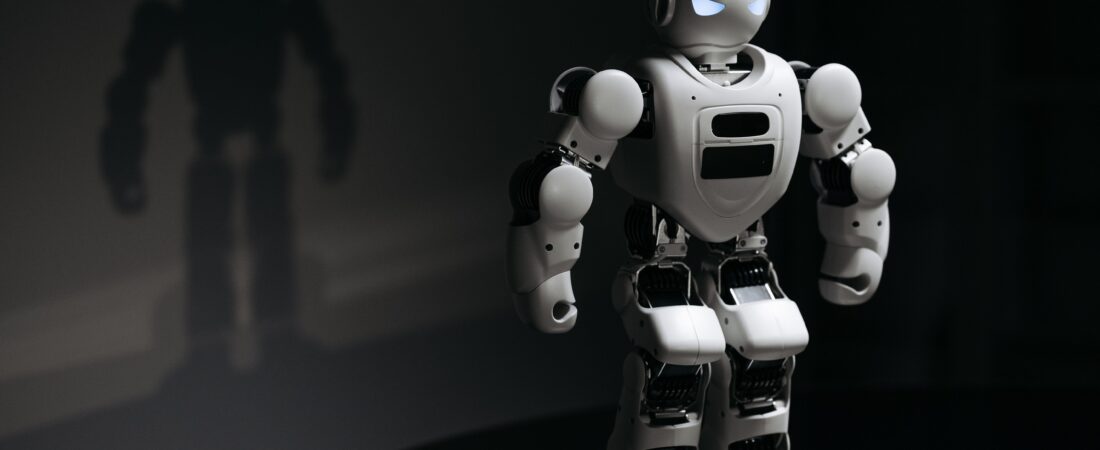
AI image generation has rapidly evolved from a niche experiment into a powerful creative tool used by designers, marketers, content creators, and hobbyists alike. With dozens of tools now available, picking the right one depends on your specific needs — whether that’s photorealistic art, fast social media graphics, or commercially safe images for business use. This guide breaks down the leading AI image generators of 2026 in detail.
How AI Image Generators Work
AI image generators use deep learning models trained on massive datasets of images and text descriptions. When you type a prompt, the AI predicts and builds an image pixel by pixel that matches your description, refining the result through multiple processing steps until it produces a coherent, detailed visual.
1. Midjourney
Midjourney is widely considered one of the most artistic and visually striking AI image generators available. It’s especially popular among digital artists and designers for producing highly stylized, painterly, and cinematic images.
- Best for: Artistic, stylized, and conceptual artwork
- Strengths: Exceptional lighting, composition, and artistic detail
- Access: Primarily through Discord, with a web interface also available
- Pricing: Subscription-based, no free tier
2. DALL-E (by OpenAI)
DALL-E is known for strong prompt understanding and integration with ChatGPT, making it easy to generate images directly within a conversation. It performs particularly well with detailed, descriptive prompts and text rendering within images.
- Best for: Quick, accurate image generation from detailed prompts
- Strengths: Strong prompt accuracy and ChatGPT integration
- Access: Available through ChatGPT Plus and the OpenAI platform
- Pricing: Included with ChatGPT Plus subscription, with usage-based options
3. Google Gemini (Image Generation)
Google Gemini includes advanced image generation capabilities, known for fast generation speeds and strong integration with other Google tools. It performs well for realistic images and creative editing tasks like combining reference images.
- Best for: Fast, realistic image generation with Google ecosystem integration
- Strengths: Speed, realism, and multimodal capabilities
- Access: Through Google AI Studio, Gemini app, and API
- Pricing: Free tier available with usage limits, paid tiers for higher volume
4. Adobe Firefly
Adobe Firefly stands out for being trained primarily on licensed and public domain content, making it a popular choice for businesses concerned about commercial usage rights. It integrates directly into Photoshop and other Adobe Creative Cloud apps.
- Best for: Commercially safe images and Adobe workflow integration
- Strengths: Copyright-safe training data, seamless Photoshop integration
- Access: Standalone web app and within Adobe Creative Cloud
- Pricing: Free tier with limited credits, paid plans for more generations
5. Stable Diffusion
Stable Diffusion is an open-source image generation model that gives users significant control and customization. It’s popular among developers and advanced users who want to fine-tune models or run generation locally on their own hardware.
- Best for: Customization, local control, and developer use cases
- Strengths: Open-source flexibility and no usage restrictions
- Access: Can be run locally or through various hosted platforms
- Pricing: Free for self-hosted use; hosted platforms vary in pricing
How to Choose the Right AI Image Generator
| Need | Best Choice |
|---|---|
| Artistic, stylized visuals | Midjourney |
| Quick generation with chat integration | DALL-E |
| Fast, realistic images for free | Google Gemini |
| Commercial safety for business use | Adobe Firefly |
| Full customization and control | Stable Diffusion |
Tips for Writing Better AI Image Prompts
- Be specific: Include details about style, lighting, color, and composition.
- Mention art style: Words like “photorealistic,” “watercolor,” or “3D render” guide the output significantly.
- Specify camera angle: Phrases like “close-up” or “wide shot” help control framing.
- Iterate: Most tools allow regenerating or adjusting results — refining your prompt often improves output quality.
Important Considerations Before Using AI Images
If you plan to use AI-generated images commercially, always check the specific platform’s licensing terms, as usage rights vary between tools. Some platforms restrict commercial use on free tiers, while others like Adobe Firefly are specifically designed with commercial safety in mind.
Final Thoughts
The best AI image generator depends entirely on your specific use case — artists may prefer Midjourney’s striking visual style, businesses may lean toward Adobe Firefly for commercial safety, while developers might prefer the flexibility of Stable Diffusion. As these tools continue to improve, image generation is becoming an increasingly powerful part of modern content creation.
Pair your AI-generated visuals with great written content using our free AI Title Generator and Grammar Checker tools — no signup required.